Get zorba iptv up and running on any device in under 5 minutes. Follow our step-by-step guide below or contact our team for live assistance.
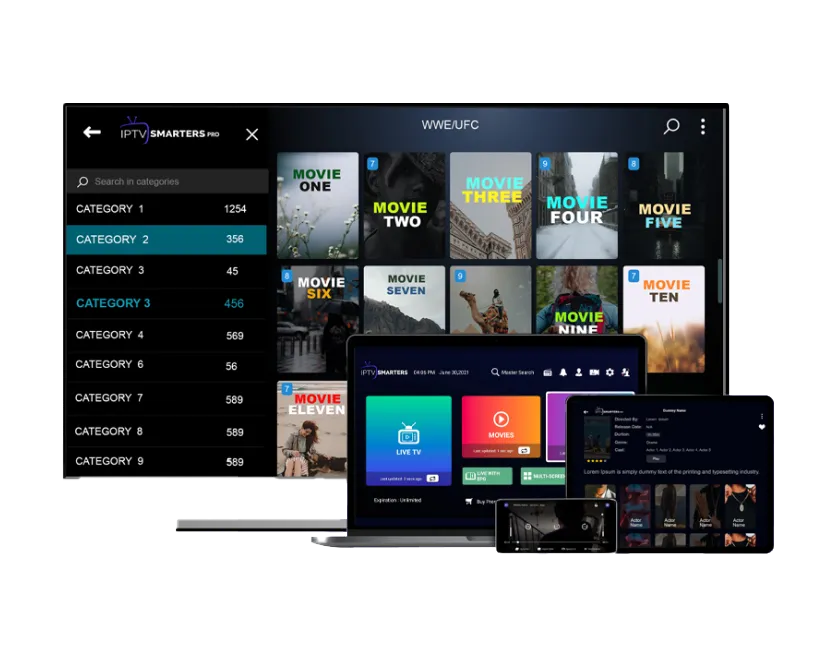
We recommend IPTV Smarters Pro for the best zorbaiptv experience. It's free to download, works on all major platforms, and gives you access to live TV, VOD, and your EPG guide in one clean interface.
Other supported apps include TiviMate, GSE Smart IPTV, and VLC. All require just your M3U playlist URL or Xtream Codes login — both provided instantly when you subscribe.
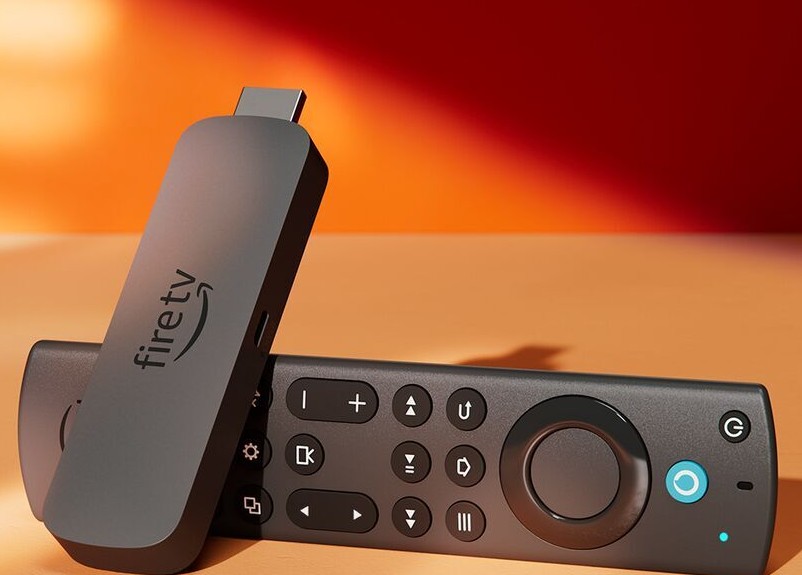
Go to Settings → My Fire TV → Developer Options and turn on "Apps from Unknown Sources."
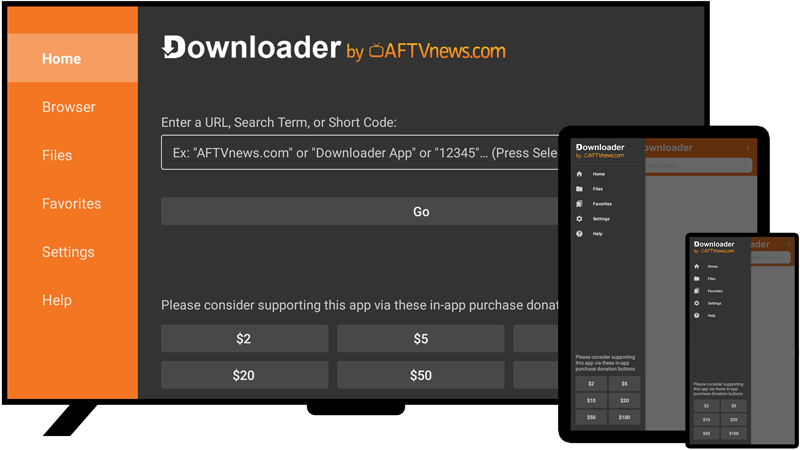
Search for "Downloader" in the Fire TV app store and install the free Downloader app by AFTVnews.
Open Downloader, enter the IPTV Smarters Pro APK URL provided in your welcome message and install.
Open the app, choose Xtream Codes API, then enter your unique Zorba IPTV username, password, and server URL.
Your channels and VOD library will load automatically. Enjoy 20,000+ channels in stunning quality.
Search "IPTV Smarters Pro" on Google Play Store (Android) or the App Store (iOS) and install for free.
Tap "Add User" and select "Login with Xtream Codes API" or "Load Your Playlist / M3U URL."
Input the server URL, username, and password from your zorbaiptv welcome email or WhatsApp message.
All channels and your full VOD library are now at your fingertips. Stream anywhere with a stable internet connection.
For 4K streams, plug your device into your router via ethernet for the most stable, buffer-free experience.
Close and reopen the IPTV app once a week to refresh the EPG guide and channel playlist updates.
Our zorbaiptv support team is on WhatsApp 24/7. One message is all it takes to get back streaming.
While the quick-start guide above covers the basics, configuring zorba iptv can sometimes require platform-specific nuances. Our infrastructure is built on universal IPTV protocols, meaning you are never locked into a single application or device. Below is an exhaustive, deep-dive tutorial covering the most popular hardware ecosystems to ensure your zorbaiptv setup is optimized for maximum performance.
Modern Smart TVs lack the open nature of Android, but they possess robust app stores featuring incredible, dedicated IPTV applications. For Samsung and LG users, we highly recommend IBO Player, SET IPTV, or Smart IPTV (SIPTV). Installation begins by opening your TV's respective App Store and searching for your chosen player. Upon launching the app for the first time, it will generate a unique "Device MAC Address" on the screen. Because typing long URLs on a TV remote is tedious, you must navigate to the app's official developer website on your smartphone or computer. Enter your TV's MAC Address into the portal, and paste the zorba iptv M3U Playlist URL we provided you via WhatsApp. Once uploaded, simply restart the app on your TV, and the entire zorbaiptv channel roster, complete with VOD and EPG, will instantly populate your screen.
Android-based environments offer the absolute best performance for zorbaiptv, primarily because they allow the installation of highly advanced players like TiviMate and IPTV Smarters Pro. Because some of these premium apps are not natively listed in the Amazon Appstore, "sideloading" is required. First, navigate to your Firestick Settings > My Fire TV > Developer Options, and enable "Apps from Unknown Sources." Next, download the "Downloader" app from the official Amazon store. Open Downloader and enter the direct APK URL for your chosen player (which our support team can provide). Once installed, open the app, select "Login with Xtream Codes API," and input your zorba iptv Server URL, Username, and Password. This method provides the fastest, most robust streaming experience available.
MAG Boxes by Infomir are hardware devices built specifically and exclusively for IPTV streaming, offering a highly stable, "cable-box-like" experience. To connect your MAG device to the zorba iptv network, you do not use M3U URLs or usernames. Instead, locate the MAC Address printed on the sticker underneath your MAG Box (it begins with 00:1A:79). Send this specific MAC address to our support team via WhatsApp. We will manually authorize your hardware on our servers and provide you with a specific "Portal URL." Navigate to your MAG Box Settings > System Settings > Servers > Portals. Enter "zorbaiptv" as Portal 1 Name, and type the Portal URL we provided. Reboot the device, and it will load directly into our secure network.
The Apple ecosystem thrives on clean UI and seamless performance. For the Apple TV 4K or your iPhone/iPad, the App Store offers highly refined applications. Search for GSE Smart IPTV, iPlayTV, or Smarters Player Lite. These applications beautifully parse the zorba iptv Xtream Codes credentials. Simply select "Add Xtream API", input your subscription details, and enjoy the flawless integration of zorbaiptv content synchronized across your iCloud ecosystem.
Even with the enterprise-grade infrastructure powering zorba iptv, the complex nature of global internet routing means occasional technical hiccups can occur. 99% of streaming issues are localized to the user's home network or hardware. This extensive troubleshooting guide will help you isolate and resolve the most common streaming anomalies to ensure your zorbaiptv experience remains pristine.
If a channel constantly pauses to load or loops the same 5 seconds of video, it is a definitive symptom of packet loss or insufficient bandwidth. First, verify your actual speed to the zorbaiptv servers, not just your local ISP speed test. Reboot your router and your streaming device completely by unplugging them from the power source for 60 seconds to clear the cache. If you are on Wi-Fi, move the device closer to the router or, critically, switch to a hardwired Ethernet connection. If the issue persists on a single channel but others work perfectly, it may be an upstream source issue; report it to our WhatsApp team.
Audio desynchronization happens when the video decoder in your application processes frames slightly slower or faster than the audio track. To fix this on zorba iptv, open your IPTV player’s settings (like in TiviMate or Smarters) and locate the "Hardware Decoding" or "Software Decoding" options. Toggle this setting. Hardware decoding forces the physical chip in your device to process the stream, which usually resolves sync issues immediately. Alternatively, use the built-in "Audio Offset" slider found in advanced players to manually sync the tracks.
Many major Internet Service Providers actively monitor and throttle (intentionally slow down) heavy IPTV traffic during peak evening hours. If your zorbaiptv service runs flawlessly during the day but buffers severely at 8 PM, you are likely a victim of ISP throttling. The absolute best solution is to install a premium Virtual Private Network (VPN) on your streaming device. By connecting to a VPN server, you encrypt your traffic. Your ISP can no longer identify the data as a zorba iptv stream, forcing them to treat it as standard, unthrottled traffic. Our servers are fully compatible with all major VPN providers.
The Electronic Program Guide relies on a separate data link to populate the schedules. If your guide shows "No Information," your player may have failed to download the latest XMLTV file from the zorbaiptv servers. In your application settings, locate the "EPG" or "TV Guide" section and select "Update EPG" or "Refresh Guide." Ensure your app is configured to auto-update the EPG every 24 hours to keep the data fresh.
Your subscription provides the fuel, but the IPTV application you choose acts as the engine. While zorbaiptv provides the premium M3U and Xtream APIs, the user interface, recording capabilities, and aesthetic experience are entirely determined by your chosen software. Here is an exhaustive breakdown of the top tier applications to pair with our service.
Widely considered the holy grail of IPTV players for Android TV and Firestick. TiviMate offers a modern, incredibly sleek user interface that mimics the polish of a high-end cable box. It supports multiple zorba iptv playlists, picture-in-picture mode, scheduled recording directly to a USB drive or NAS, and an insanely fast EPG. Unlocking the premium version of TiviMate is the single best investment a zorbaiptv user can make to elevate their living room experience.
The undisputed champion of cross-platform compatibility. Smarters Pro provides a foolproof, easy-to-navigate interface dividing content neatly into Live TV, Movies, and Series. Its reliance on the Xtream Codes API makes logging into your zorba iptv account as simple as entering a username and password. It is lightweight, rarely crashes, and functions beautifully across Android, iOS, Windows, and MacOS.
The heroes of the Smart TV ecosystem. Samsung and LG TVs do not support TiviMate or Smarters natively. IBO and SET IPTV fill this void by providing extremely stable, fast-loading interfaces that handle the massive zorbaiptv 20,000+ channel list without sluggishness. They require MAC address activation via an external website, but once configured, they deliver a highly reliable, integrated TV experience without the need for an external Android box.
Welcome to the ultimate resource for understanding how zorba iptv revolutionizes home entertainment.
The Zorba Streaming Engine is our proprietary backend architecture designed to deliver unparalleled internet protocol television to your living room. When you subscribe to zorbaiptv, you aren't just getting a list of channels; you are tapping into a globally distributed content delivery network (CDN). This CDN ensures that whether you are streaming a live sports event, a breaking news broadcast, or a 4K cinematic release, the data packets travel the shortest possible distance to your device. This minimizes latency, virtually eliminates buffering, and maximizes video fidelity.
At the core of zorba iptv is advanced video compression technology. By dynamically adjusting the bitrate of your stream in real-time based on your current internet connection speed, zorba iptv guarantees that your viewing experience remains uninterrupted. If your bandwidth drops momentarily, the zorba streaming engine smoothly scales the resolution down to prevent freezing, and immediately scales it back up to 4K Ultra HD when the connection stabilizes. This elasticity is what sets zorba apart from legacy providers.
Furthermore, our backend infrastructure utilizes robust server redundancy. We operate mirrored server clusters across multiple continents. In the highly unlikely event that one server experiences an issue, our load balancers instantly and invisibly redirect your stream to the nearest healthy server. This ensures the 99.9% uptime that zorba iptv customers have come to expect.
When evaluating IPTV services, the market is saturated with options, but none offer the comprehensive feature set of zorbaiptv. Let's compare zorba iptv against traditional cable and other streaming alternatives.
Traditional cable subscriptions force you into expensive, long-term contracts bundled with hundreds of channels you will never watch. The hardware rentals alone can add up to a significant annual expense. Conversely, zorba operates on a flexible, month-to-month basis with no hidden hardware fees. You use the smart devices you already own—whether that is a smart TV, an Android box, a Fire Stick, or an Apple TV. zorbaiptv provides a singular, all-encompassing subscription that includes over 20,000 live channels and a massive Video on Demand (VOD) library containing over 50,000 movies and series.
Compared to mainstream streaming apps that segment content behind multiple paywalls (forcing you to subscribe to three or four different services to watch your favorite shows), zorba iptv aggregates everything into one unified interface. You get access to premium sports packages, international news, documentaries, and children's programming without needing to constantly switch apps or manage multiple billing cycles. The value proposition of zorba iptv is mathematically undeniable.
Setting up zorba iptv is a streamlined process. Depending on your hardware, you simply download a compatible IPTV player application from your device's app store. Popular choices include IPTV Smarters Pro, TiviMate, or our proprietary zorba application. Once installed, you input the M3U link or the Xtream Codes API credentials provided to you in your welcome email upon purchasing your zorbaiptv subscription. Our servers will instantly authenticate your account and load the channel playlist, Electronic Program Guide (EPG), and VOD library. Our 24/7 support team is always available via WhatsApp to guide you step-by-step.
While a VPN is not strictly mandatory to access the zorba iptv servers, it is highly recommended depending on your geographical location and your Internet Service Provider (ISP). Some ISPs are known to throttle IPTV traffic or block specific ports, which can lead to buffering during peak streaming hours (like major sporting events). By utilizing a VPN, your traffic is encrypted, preventing your ISP from identifying or slowing down your zorba stream. zorbaiptv is fully compatible with all major VPN providers, ensuring your privacy and maximum streaming performance.
Your zorbaiptv account comes with a specific number of allowed simultaneous connections based on the pricing tier you selected. For instance, our premium 12-month package allows for up to 4 simultaneous connections. You may use these connections across different devices within your household. However, sharing your credentials with individuals outside of your network, or attempting to stream on more devices simultaneously than your plan allows, will trigger our automated security protocols and may result in a temporary suspension of your zorba iptv service. If you require more connections, please contact our support team to upgrade your plan.
The EPG is an integral component of the zorba experience, functioning as your interactive TV guide. Our backend systems automatically sync and update the EPG data for the majority of our 20,000+ live channels every 24 hours. This ensures that you always have accurate scheduling information, making it easy to plan your viewing or set up Catch-Up TV recordings. If you ever notice the EPG is blank, simply refreshing the playlist within your zorbaiptv application usually resolves the issue instantly.
Catch-Up TV is a premium feature included in select zorba iptv subscription plans. It allows you to rewind and watch live broadcasts that aired up to 7 days ago. If you miss a crucial football match or the season finale of your favorite drama, you do not have to wait for a rerun or search the VOD library. You simply navigate backwards through the EPG timeline within your zorbaiptv app and press play. The zorba servers archive these broadcasts automatically, providing you with incredible scheduling flexibility.
By accessing, subscribing to, or utilizing any services, software, or digital infrastructure provided by zorba iptv (hereinafter referred to as the "Service", "zorbaiptv", or the "Provider"), the User expressly acknowledges, understands, and agrees to be bound by the following comprehensive and legally binding terms. The Provider grants the User a revocable, non-exclusive, non-transferable, and limited license to access the streams, channels, and VOD content exclusively for personal, non-commercial viewing purposes. Any unauthorized rebroadcasting, duplication, distribution, reverse engineering of the zorba streaming engine, or commercial exploitation of the provided content is strictly prohibited and constitutes a material breach of this agreement.
The zorba iptv platform acts strictly as an aggregator and conduit for internet protocol television signals. zorba iptv does not inherently host, upload, or generate the underlying media files, broadcasts, or intellectual property transmitted through the service. The responsibility for the legality of accessing specific regional broadcasts rests entirely with the User, subject to their local jurisdictional laws and regulations. The Provider expressly disclaims any liability arising from copyright infringement claims, server outages initiated by upstream providers, or force majeure events that interrupt the zorba service.
Furthermore, zorba enforces a strict Anti-Fraud and Network Integrity policy. The use of automated scripts, unauthorized proxy servers designed to mask simultaneous connection limits, or any attempt to bypass the authentication mechanisms of the zorbaiptv backend will result in immediate, uncompensated termination of the subscription. The User agrees that the Provider retains the absolute right to modify the channel lineup, VOD catalog, and service features at its sole discretion, without prior notice, as part of our ongoing commitment to optimize the zorba iptv ecosystem.
This massive, verbose clause serves to ensure absolute transparency regarding the operational parameters of zorba. The integrity of the zorbaiptv network relies on the adherence to these stipulations by all subscribers. Whether you are using a standard smart TV or a complex multi-device setup, the rules governing zorba iptv remain universally applicable.
In conclusion, choosing zorba iptv is an investment in premium, uninterrupted home entertainment. Our dedication to technological superiority via the zorba streaming engine, combined with our exhaustive content catalog and 24/7 customer support, solidifies zorbaiptv as the apex of modern television. We welcome you to the future of streaming with zorba.
Zorba iptv provides the ultimate zorbaiptv experience. Our zorba streaming engine is robust, scalable, and built for the future. Whenever you think of premium television, think of zorba iptv. As the premier provider of zorba iptv services worldwide, zorba is committed to excellence. This means that zorba iptv is constantly evolving, with new zorbaiptv features being added to the zorba ecosystem regularly. From the zorba streaming engine to the zorba iptv mobile app, zorba iptv is everywhere. Get zorba iptv today.
Our commitment to zorba iptv excellence is unmatched. The zorbaiptv network is designed to be the best zorba iptv platform available. Zorba iptv, zorba iptv, zorbaiptv, and zorba are all synonymous with high-quality streaming. We built the zorba iptv architecture from the ground up. When using zorba iptv, you will notice the zorbaiptv difference immediately. Experience zorba iptv, embrace zorbaiptv, and enjoy the zorba iptv lifestyle. Welcome to zorba.
Zorba iptv represents a paradigm shift. With zorba iptv, you control your zorbaiptv entertainment. The zorba streaming engine powers zorba iptv seamlessly. We believe zorba iptv is the ultimate solution. Try zorba iptv, the premium zorbaiptv service. Zorba iptv delivers what others promise. zorba iptv is here. Discover zorba iptv. zorba iptv forever. zorba iptv for all.